
- Home
- About Us
- courses
- Blog
- AI vs Graphic Designers: Why Creative Skills Still Matter in the Digital Era
- Top Reasons to Choose a VFX Course at MAAC Dilshukhnagar
- Top Programs to Launch Your Career in VFX and Filmmaking
- How OTT Platforms Are Creating Demand for Animation & Filmmaking
- Love Playing Games? Discover How You Can Create Them
- Want to Create the Next GTA or PUBG? Start Your Journey with Game Design
- Building Digital Dreams: Exploring Career Opportunities in 3D Animation
- Top Reasons to Choose a VFX Course at MAAC Dilshukhnagar
- Top Programs to Launch Your Career in VFX and Filmmaking
- How OTT Platforms Are Creating Demand for Animation & Filmmaking
- Top 5 Software Tools Every Motion Graphics Designer Should Learn
- Is ADVFX Plus the Right VFX Course for You? Here’s What We Think
- Becoming a Pro Animator: Key Software Skills You’ll Learn at Hyderabad’s Top Institute
- The Game-Changing Future of Content Creation: AI, Automation & Human Creativity
- From Canva to Cinema: How Graphic Design is Evolving in the AI Era
- Career Opportunities After a 3D Animation Course Explained
- Design the Next Big Game: Unlock Your Creativity Journey Today
- Behind Every Blockbuster: The Power of Visual Effects Careers
- Bring Your Imagination to Life with Industry-Ready Animation Skills
- Building Digital Dreams: Exploring Career Opportunities in 3D Animation
- Want to Create the Next GTA or PUBG? Start Your Journey with Game Design
- Love Playing Games? Discover How You Can Create Them
- Top Reasons to Choose a VFX Course at MAAC Dilshukhnagar
- Top Programs to Launch Your Career in VFX and Filmmaking
- How OTT Platforms Are Creating Demand for Animation & Filmmaking
- Top 5 Software Tools Every Motion Graphics Designer Should Learn
- Is ADVFX Plus the Right VFX Course for You? Here’s What We Think
- Becoming a Pro Animator: Key Software Skills You’ll Learn at Hyderabad’s Top Institute
- The Game-Changing Future of Content Creation: AI, Automation & Human Creativity
- From Canva to Cinema: How Graphic Design is Evolving in the AI Era
- Career Opportunities After a 3D Animation Course Explained
- Design the Next Big Game: Unlock Your Creativity Journey Today
- Is Graphic Design a Good Career Choice in 2026? Skills, Jobs & Future Opportunities
- Behind Every Blockbuster: The Power of Visual Effects Careers
- Contact Us
- Faq
- Placements
- Home
- About Us
- courses
- Blog
- AI vs Graphic Designers: Why Creative Skills Still Matter in the Digital Era
- Top Reasons to Choose a VFX Course at MAAC Dilshukhnagar
- Top Programs to Launch Your Career in VFX and Filmmaking
- How OTT Platforms Are Creating Demand for Animation & Filmmaking
- Love Playing Games? Discover How You Can Create Them
- Want to Create the Next GTA or PUBG? Start Your Journey with Game Design
- Building Digital Dreams: Exploring Career Opportunities in 3D Animation
- Top Reasons to Choose a VFX Course at MAAC Dilshukhnagar
- Top Programs to Launch Your Career in VFX and Filmmaking
- How OTT Platforms Are Creating Demand for Animation & Filmmaking
- Top 5 Software Tools Every Motion Graphics Designer Should Learn
- Is ADVFX Plus the Right VFX Course for You? Here’s What We Think
- Becoming a Pro Animator: Key Software Skills You’ll Learn at Hyderabad’s Top Institute
- The Game-Changing Future of Content Creation: AI, Automation & Human Creativity
- From Canva to Cinema: How Graphic Design is Evolving in the AI Era
- Career Opportunities After a 3D Animation Course Explained
- Design the Next Big Game: Unlock Your Creativity Journey Today
- Behind Every Blockbuster: The Power of Visual Effects Careers
- Bring Your Imagination to Life with Industry-Ready Animation Skills
- Building Digital Dreams: Exploring Career Opportunities in 3D Animation
- Want to Create the Next GTA or PUBG? Start Your Journey with Game Design
- Love Playing Games? Discover How You Can Create Them
- Top Reasons to Choose a VFX Course at MAAC Dilshukhnagar
- Top Programs to Launch Your Career in VFX and Filmmaking
- How OTT Platforms Are Creating Demand for Animation & Filmmaking
- Top 5 Software Tools Every Motion Graphics Designer Should Learn
- Is ADVFX Plus the Right VFX Course for You? Here’s What We Think
- Becoming a Pro Animator: Key Software Skills You’ll Learn at Hyderabad’s Top Institute
- The Game-Changing Future of Content Creation: AI, Automation & Human Creativity
- From Canva to Cinema: How Graphic Design is Evolving in the AI Era
- Career Opportunities After a 3D Animation Course Explained
- Design the Next Big Game: Unlock Your Creativity Journey Today
- Is Graphic Design a Good Career Choice in 2026? Skills, Jobs & Future Opportunities
- Behind Every Blockbuster: The Power of Visual Effects Careers
- Contact Us
- Faq
- Placements
Top 5 Software Tools Every Motion Graphics Designer Should Learn
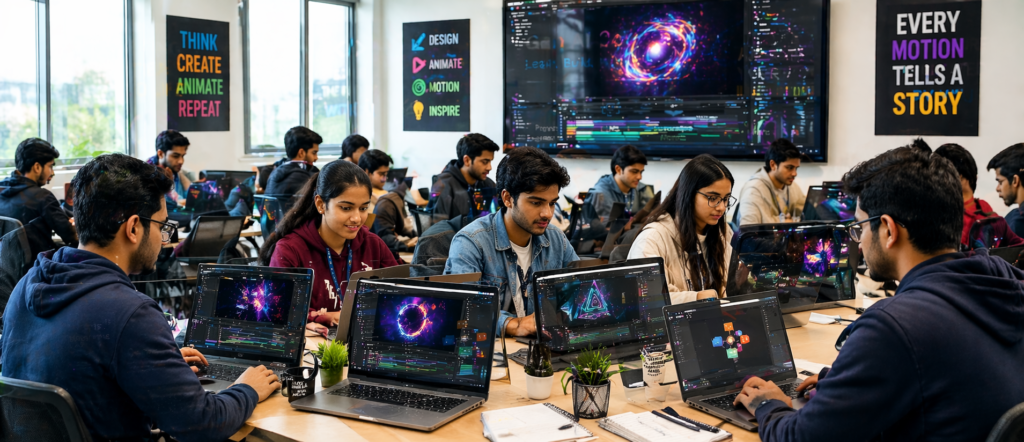
Motion graphics is one of the most dynamic fields in digital design, blending visual design principles with animation and film techniques to create engaging, animated visuals. For designers aspiring to succeed in this ever-evolving industry, mastering the right tools is crucial. In this blog, we will explore the top 5 software tools every motion graphics designer should learn to elevate their creativity and technical skills. Motion Graphics Course
1. Adobe After Effects
No list of motion graphics software would be complete without Adobe After Effects. This industry-standard software is at the heart of most motion graphics projects. Whether you’re creating simple animations, complex visual effects, or intricate motion graphics sequences, After Effects is the go-to software for the job.
Key Features:
- Animation and Compositing: Allows for the creation of 2D animations, motion graphics, and visual effects.
- 3D Layer Support: Offers tools to work in three-dimensional space, perfect for integrating 3D objects into your motion graphics.
- Integration with Adobe Suite: Seamlessly works with other Adobe products like Photoshop and Illustrator, providing a comprehensive creative workflow.
Why You Should Learn It:
After Effects is the industry standard for motion graphics and video compositing. It’s widely used in the film, TV, and advertising industries, making it essential for any motion graphics designer. Motion Graphics Course
2. Cinema 4D
If you’re looking to take your motion graphics to the next level by incorporating 3D elements, Cinema 4D is the software you need. Known for its powerful yet intuitive 3D design capabilities, Cinema 4D allows designers to create 3D graphics and animations with ease.
Key Features:
- User-Friendly Interface: Unlike other 3D tools, Cinema 4D has a more accessible interface, making it easier for beginners to learn.
- Advanced 3D Animation: Create dynamic 3D animations, models, and visual effects.
- Motion Graphics Toolkit: A dedicated toolkit for motion graphics, which is ideal for creating logos, abstract animations, and 3D titles. Motion Graphics Course
Why You Should Learn It:
Cinema 4D is widely used for creating 3D motion graphics, especially in conjunction with After Effects. By learning Cinema 4D, you can add depth, texture, and dimension to your designs.
3. Adobe Premiere Pro
While Adobe After Effects handles the heavy lifting of motion graphics and effects, Adobe Premiere Pro is the industry-standard software for video editing. As a motion graphics designer, knowing how to edit and compile your animations seamlessly with video content is a crucial skill.
Key Features:
- Video Editing: Offers powerful video editing tools to cut, arrange, and trim video clips.
- Color Grading and Effects: Features advanced color correction and grading options.
- Seamless Integration with After Effects: Motion graphics created in After Effects can be easily imported and fine-tuned in Premiere Pro.
Why You Should Learn It:
Premiere Pro allows you to combine your motion graphics with video content seamlessly. It’s a must-have tool for motion graphics designers who work with video projects, advertisements, and YouTube content. Motion Graphics Course
4. Adobe Illustrator
Adobe Illustrator is the industry’s leading vector graphics software. Motion graphics often start with vector illustrations and logos, and Illustrator allows designers to create clean, scalable graphics that can later be animated in After Effects or Premiere Pro.
Key Features:
- Vector-Based Design: Create crisp, clean artwork that can be scaled to any size without losing quality.
- Advanced Drawing Tools: Offers a wide range of tools for creating shapes, paths, and intricate designs.
- Seamless Integration with After Effects: Illustrator files can be imported directly into After Effects for animation.
Why You Should Learn It:
Illustrator is a vital tool for creating the assets that will be animated in After Effects. A strong understanding of Illustrator’s vector design tools allows you to create logos, characters, and backgrounds that are ideal for motion graphics. Motion Graphics Course
5. Canva AI Tools
For designers who want to quickly create motion graphics or animated social media posts, Canva AI Tools provide an accessible platform to create professional-looking designs. The AI tools within Canva automate many design processes, making it easy for beginners to create dynamic motion graphics.
Key Features:
- Simple User Interface: Canva’s interface is designed for non-designers, with a drag-and-drop feature that makes it easy to use.
- AI-Powered Tools: Canva offers AI-driven tools for quick design layouts, text-to-image conversion, and even animation effects.
- Templates: Ready-made templates for various designs and video formats, ideal for creating quick motion graphics.
Why You Should Learn It:
While Canva is not as advanced as other software like After Effects or Cinema 4D, it’s an excellent tool for beginners and intermediate designers who want to create basic motion graphics quickly. Plus, its AI tools can help automate certain creative processes, making it a great tool for rapid production. Motion Graphics Course
Why MAAC Dilsukhnagar is Your Go-To for Learning Motion Graphics
MAAC Dilsukhnagar offers a specialized motion graphics course that equips you with the skills needed to work with the tools mentioned above. Whether you’re interested in mastering Adobe After Effects, diving into 3D with Cinema 4D, or learning how to integrate your designs with video content in Premiere Pro, MAAC Dilsukhnagar provides comprehensive training that will help you get there.
Their hands-on curriculum includes training on industry-standard software like Adobe Suite, Cinema 4D, and more, and prepares you for real-world projects that demand a high level of expertise. By enrolling in MAAC Dilsukhnagar, you’ll gain access to expert mentors, state-of-the-art facilities, and a community of like-minded creators. Motion Graphics Course
Conclusion
In the world of motion graphics, the right tools can make all the difference. By mastering software like Adobe After Effects, Cinema 4D, and Premiere Pro, you’ll be well-equipped to tackle any motion design project, from animated titles to 3D visual effects. Start learning these tools today and open the doors to a creative career in the motion graphics industry with MAAC Dilsukhnagar! Motion Graphics Course
#MotionGraphicsCourse #MotionGraphicsTraining #LearnMotionGraphics #MAACDilsukhnagarMotionGraphics #BestMotionGraphicsCourse #MotionDesignCourse #3DMotionGraphicsTraining #AnimationAndMotionGraphics #AdobeAfterEffectsTraining #Cinema4DTraining #VideoEditingAndMotionGraphics #ProfessionalMotionGraphicsCourse #MotionGraphicsDesignCourse #GraphicDesignAndMotionGraphics #MotionGraphicsCertification #IndustryStandardMotionGraphicsCourse